Unusual Noise or Motion Basic Troubleshooting
For direct drive units with two motors, confirm the motors are counter-rotating. Incorrect rotation can cause unusual motion and reduced performance.
Check the operating stroke, RPM, and shaft timing on the bearings, as incorrect operating conditions can increase bearing loads and create excessive noise.
Inspect isolation springs and mounts for damage or wear, as failed components can cause excessive machine movement.
Inspect drive springs, reaction springs, and rocker arms for wear, damage, or loose components that could affect machine motion.
Check for and remove any interference with the stationary structure.
Inspect screens, load decks, hoods, skirts, diverters, and other bolt-on components to ensure they are securely fastened and free from damage.

Understanding the Issue
Unusual noise or excessive machine movement is often caused by improper operating conditions, worn components, incorrect motor rotation, or mechanical interference. Identifying the source early can help prevent unnecessary wear and equipment damage.
- Motor Rotation
- Stroke, RPM & Timing
- Isolation Springs & Mounts
- Rocker Arms & Springs
- Mechanical Interference
- Bolt-On Components
Motor Rotation
Direct drive equipment with two vibratory motors relies on the motors rotating in opposite directions (counter-rotating) to produce smooth, controlled conveying or screening motion. Incorrect motor rotation can cause erratic machine movement, vibration, and reduced performance.
If motor rotation is incorrect, consult with a professional electrician to swap any two phase wires at the motor junction box. Always verify the required rotation direction using the General Arrangement drawing.
Stroke, RPM & Timing
While some bearing noise is normal, excessive noise may indicate increased bearing loads. Operating above or below the recommended stroke or at an incorrect RPM increases stress on the bearings. Incorrect shaft timing can also contribute to abnormal loading.
Verify the operating stroke, RPM, and shaft timing, then correct any values outside the equipment’s design specifications.
View the Stroke Alert Troubleshooting page or RPM Alert Troubleshooting page for more information.
Isolation Springs & Mounts
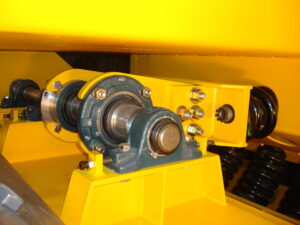
Damaged isolation springs or mounts on symptomatic units can cause excessive vibration, unusual motion, or instability during operation. Because the isolation system is part of the equipment’s dynamic design, uneven support can significantly affect operating motion.
Rocker Arms & Springs
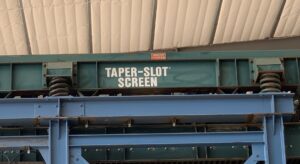
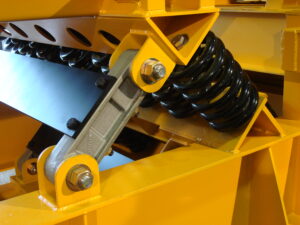
Broken drive springs, reaction springs, or worn rocker arm components can create abnormal vibration, knocking noises, and irregular machine motion. Rocker arm clips should clamp tightly to the bushings, allowing the rocker arm to rotate without excessive vertical or side-to-side movement.
If one rocker arm produces a noticeable impact while surrounding arms operate smoothly, inspect the bushings, bolt tightness, and clip clamping force. Replace worn bushings or damaged components as necessary.
Mechanical Interference
Moving components require adequate operating clearance at all times. Contact between the pan, balancer, surrounding equipment, or support structure can create impact noises, restrict normal movement, and lead to equipment damage.
Verify operating clearances during installation, after modifications, and periodically throughout the life of the equipment.
Bolt-On Components
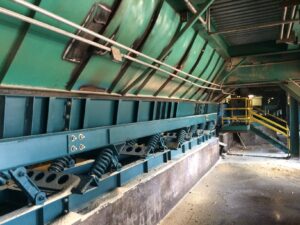
Bolt-on components, including load decks, screens, hoods, skirts, discharges, and diverters, should be securely fastened before operation. Loose or missing fasteners can create rattling, vibration, and unwanted machine movement while leading to equipment damage if left uncorrected. Replace damaged or missing components immediately.
It is preferable to use a stationary structure whenever possible.
There is often a way to accomplish the material movement desired without additional shaking weight.