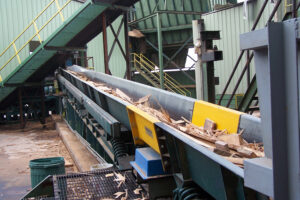
Travel Speed, Conveyance, or Screening Basic Troubleshooting
Check that the equipment is operating within the recommended stroke range, as low operating stroke can significantly reduce conveyance speed and screening performance.
Confirm the motor rotation on your VIBRA-SNAP® Screen or elliptical drive screener is correct, as incorrect rotation can significantly reduce conveyance speed and screening efficiency.
Inspect rigid screens for plugged openings or material buildup that could restrict material flow and reduce screening efficiency.
Check for inconsistent or uneven material feed, as infeed surges can reduce conveyance speed and overall throughput.
Check for material buildup or restrictions at the discharge that could impede material flow and reduce conveyor performance.

Understanding the Issue
Slow conveyance and poor screening performance are often caused by changes in operating stroke, material flow, screen condition, or equipment configuration. Identifying the root cause can help restore proper material movement and screening efficiency.
Low Stroke/RPM
Low operating stroke reduces material travel speed and can negatively affect screening performance. With less stroke, material is not lofted as high or carried as far forward. Fine particles may not settle properly through the material bed, while near-sized particles may remain lodged in the screen openings, resulting in screen plugging.
View Stroke Alert Troubleshooting page for information on correcting stroke.
Low RPM can have a negative effect on travel speed and screening performance. Low RPM tends to reduce stroke, compounding the issue. Check the RPM with a strobe, wheel or VIBRA-SYNC™.
View RPM Alert Troubleshooting page for more information on correcting RPM.
Motor Rotation
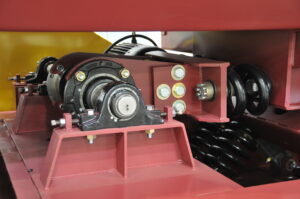
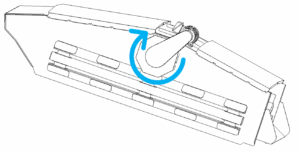
VIBRA-SNAP® Screens and direct drive (brute force) screens require the drive weights to rotate in the direction specified on the machine and the General Arrangement drawing. Incorrect motor rotation can significantly reduce conveyance speed and screening efficiency by causing material to move against the intended flow.
If motor rotation is incorrect, reverse it by swapping any two phase wires at the motor junction box.
Clogging
Rigid deck screens can become clogged with near-sized particles or sticky material. Plugged screen openings increase the material burden above the deck, restricting material flow and reducing screening efficiency. If clogging is present, clean the screen before returning the equipment to service.
Material Flow
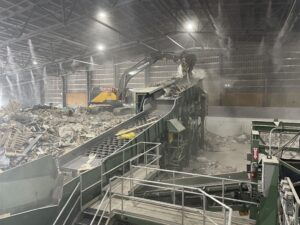
Infeed surges can reduce travel speed and overall throughput. Both underloaded and overloaded conveyors may experience slower material movement. Materials that do not naturally spread across the conveyor can create alternating surge-and-starve conditions, reducing performance. Because the solution depends on the material and application, contact ACTION for recommendations if surging persists.
Build-up
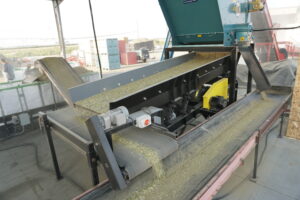
Material buildup at the discharge slows material flow throughout the conveyor. Buildup may be caused by downstream equipment shutdowns, sticky material, or restrictions in chutes and transitions. Remove any accumulated material and correct the source of the restriction. In some cases, equipment modifications or changes to shutdown procedures may be necessary.